
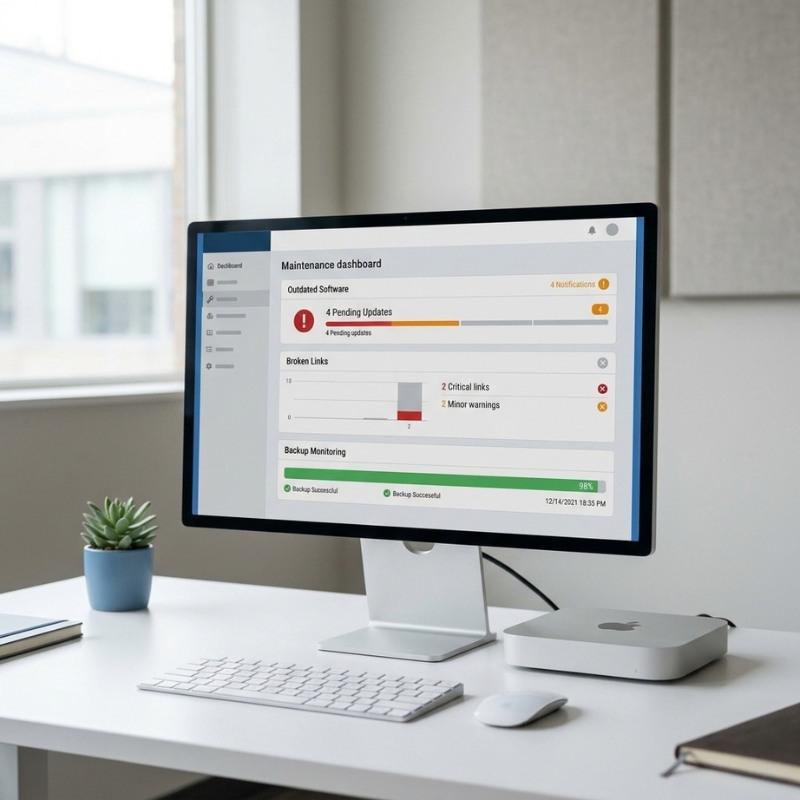
Your website was built a year or two ago, it went live, everyone was pleased with it, and since then nothing has been done to it. It still loads when you visit it, so it is easy to assume all is well.
The uncomfortable truth is that a neglected website rarely announces its problems. It does not crash or flash a warning. It fails quietly, in ways you only discover when an enquiry that should have arrived never did, or when something goes wrong that a bit of upkeep would have prevented. This article explains, in plain terms, what actually breaks on a website left unattended, why you often cannot see it happening, and a simple monthly check you can run yourself to catch the common problems early.
The failures you do not see
When people imagine a website breaking, they picture something obvious: an error page, a site that will not load, a dramatic crash. In reality, that is the rare case. The failures that matter most on a neglected site are the quiet ones, the kind that leave the site looking perfectly normal while something underneath has stopped working.
This is what makes website neglect so easy to miss. The home page still loads, the pages still look right, and nothing on the surface tells you anything is wrong. Meanwhile a form may have stopped delivering, the software may have fallen dangerously behind, or backups may silently not be running. You would not know from looking.
More often than not, the first sign a business actually notices is not a technical one at all. It is a drop in enquiries. The phone rings a little less, the contact form emails thin out, and it takes a while before anyone connects that quiet patch to a website problem rather than a slow month. By the time the dots are joined, the fault may have been costing enquiries for weeks. That is the real risk of an unmaintained site: not that it falls over loudly, but that it quietly stops doing its job while appearing completely fine.
Security: what actually goes wrong
The most important thing that falls behind on a neglected site is its software, and this is worth understanding without any scare tactics. A website runs on a platform and usually a set of plugins or add-ons, and the people who make that software release updates regularly. Many of those updates exist to close security gaps that have been discovered since the last version.
When a site is maintained, those updates get applied and the known gaps get closed. When a site is left alone, the software stays on old versions while the known weaknesses in those versions become public knowledge. The problem is that finding outdated sites is largely automated. Scanning tools comb the web looking for sites running old, vulnerable versions, which means a neglected site does not have to be targeted deliberately to be found, it can simply be picked up because it is running software with a known gap. That is the honest mechanism, and it is why keeping the platform and plugins current is the single most valuable piece of maintenance.
None of this means your site is doomed if it is a bit behind. It means the gap between a maintained site and a neglected one widens over time, and closing it is routine when done regularly. Our website security approach is built around keeping that software current so the known gaps do not sit open. The key point for a business owner is simply that outdated software is the main thing that goes wrong, and it is entirely preventable with regular updates.
The form that stopped sending
Here is the failure that costs businesses the most real money, and the one almost nobody sees coming. Your contact form can stop delivering enquiries to your inbox while the form itself still appears to work perfectly. A visitor fills it in, hits send, sees a thank-you message, and goes away happy. The enquiry simply never arrives with you.
This happens because the form relies on email delivery behind the scenes, and that delivery can quietly break after a change to your hosting or your email setup. Nothing on the page looks different. The form still submits, the visitor still gets their confirmation, but the message is no longer reaching its destination. You are losing enquiries and the form is giving you no sign anything is wrong.
The fix is simple and worth doing regularly: test it yourself. Go to your live website, not a preview or a draft, and send a genuine test enquiry through the form just as a customer would. Then check that it actually lands in the inbox that is meant to receive it. If it arrives, good. If it does not, you have found a leak that may have been quietly costing you leads. Doing this monthly is one of the highest-value few minutes a business owner can spend on their site.
Backups only count if they have been restored
Most people assume their website is backed up, and many are even paying for backups somewhere. But there is a gap between having backups and having backups that actually work, and that gap only reveals itself at the worst possible moment.
A backup is only proven if it has been successfully restored. A backup that is quietly failing to run, saving incomplete data, or that simply cannot be restored when needed, is not a safety net at all, it just feels like one. Plenty of businesses have gone to recover their site after a problem only to find the backups they relied on were not usable. The reassurance of "we have backups" is worth very little until one has been tested by actually restoring it.
So the question to ask is not whether your site is backed up, but whether anyone has ever confirmed a backup can be restored. If the answer is no, you do not yet know if your safety net exists. Tested backups are the only kind that count, and knowing yours have been checked is the difference between a minor hiccup and a genuine disaster if something ever goes wrong.
Speed and broken links creep up
Two more things degrade slowly on a neglected site, so gradually that you acclimatise to them without noticing.
The first is speed. Over time, as content gets added, images in particular pile up, and large, unoptimised images are one of the most common reasons a site slows down. Each one on its own seems harmless, but they accumulate, and a site that was snappy at launch can become noticeably sluggish a year or two later. Because the slowdown is gradual, you adjust to it rather than registering it as a problem, even though visitors feel it.
The second is broken links. As pages get changed, renamed or removed over time, links that used to point somewhere valid end up pointing nowhere. This link rot builds up quietly across a site, leaving visitors hitting dead ends and giving an impression of neglect. Like the image bloat, no single broken link is a crisis, but they accumulate, and left unchecked they make a site feel uncared for. Both of these are easy to keep on top of with periodic attention and awkward to untangle once they have been building for years.
A monthly check anyone can run
You do not need to be technical to keep an eye on the essentials. Here is a short monthly check any business owner can work through:
- Send a test enquiry through your live contact form and confirm it reaches the right inbox.
- Click through your main pages and your navigation, watching for anything broken or pointing nowhere.
- Notice whether the site feels slower than it should, especially on your phone.
- Check that your platform and plugins are not showing as badly out of date, or ask whoever manages the site.
- Confirm that backups are running, and that someone can actually restore one if needed.
- Load your site on a mobile and make sure everything still works as it should.
None of this takes long, and doing it monthly catches the common quiet failures while they are still small. If anything on the list turns up a problem you are not sure how to fix, that is the point to get help rather than leave it.