
Website Navigation Best Practices: How to Structure Menus for Real Customers
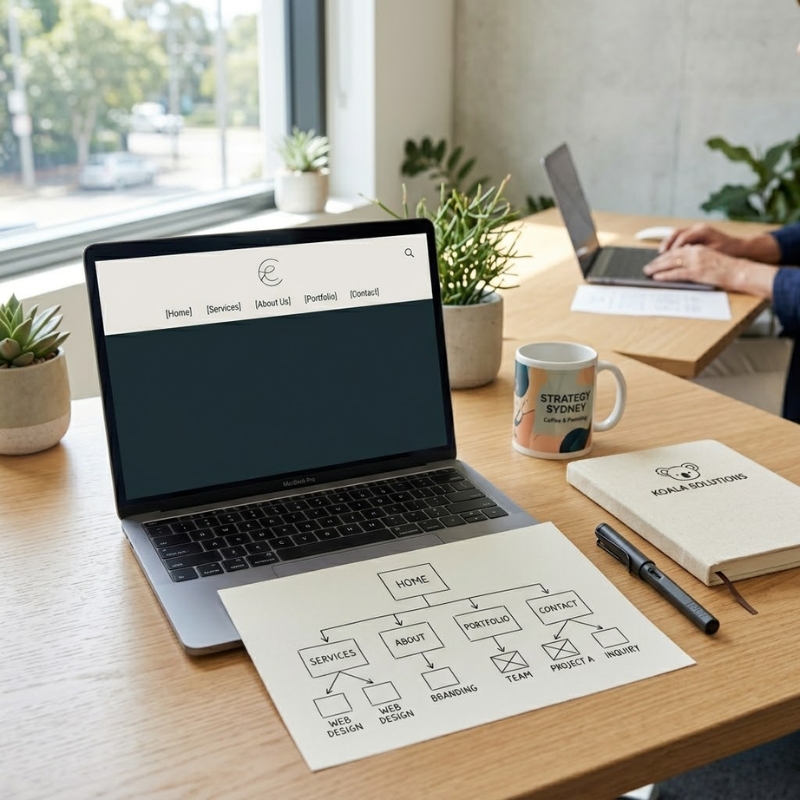
Website navigation isn’t decoration. It’s the “map” people use to decide whether they’ll stay, click, trust you, and take the next step.
If your menu is confusing, you’ll see it in real-life behaviour:
• people bouncing after one page
• visitors missing key services you actually want to sell
• enquiries that start with “Do you do…?” (even though you do)
• customers calling because they can’t find basic info
• a site that looks polished but feels frustrating
The good news: great navigation is rarely about fancy menus. It’s about clarity, grouping, and naming things the way real customers think.
This guide is written for Aussie SMEs (Australia-wide) and focuses on practical decisions you can make before you touch design.
Start with one principle: navigation supports top tasks
People don’t come to your site to admire your menu. They come to complete a task.
Typical SME “top tasks” include:
• check if you’re a fit (what you do, who it’s for)
• compare options (services, packages, products)
• evaluate trust (reviews, results, credentials)
• understand next steps (process, timelines, what happens after enquiry)
• contact you (call, form, booking)
If your navigation makes those tasks easy, it’s doing its job.
Q: What’s the biggest navigation mistake small businesses make?
A: Building the menu around internal labels (departments, jargon, brand slogans) instead of customer language and customer goals.
The difference between a sitemap, a menu, and internal links
These three get mixed up a lot, and mixing them up creates clutter.
• Sitemap: every page that exists (the full structure)
• Menu: the small set of pages you choose to feature for primary journeys
• Internal links: contextual links inside pages that help people go deeper without adding more menu items
A clean site usually has a bigger sitemap than a menu. That’s normal.
Q: Should every page be in the top menu?
A: No. Keep the top menu focused on primary journeys. Supporting pages (deep FAQs, detailed explainers, resources) can be reached via internal links and the footer.
Rule of thumb: keep the main menu short enough to scan
If someone can’t scan your main navigation in a couple of seconds, it’s probably too long.
As a starting point for many SME sites:
• 4–7 main items in the header is often plenty
• dropdowns are fine when they reduce clutter (not when they hide everything)
• the footer can carry the “supporting library” (policies, extra resources, secondary links)
This isn’t about hitting a magic number. It’s about reducing decision fatigue.
Q: How many menu items is “too many”?
A: When items start wrapping onto a second line on desktop, or when mobile users have to scroll a long menu just to find “Contact”, you’ve likely crossed the line.
Name menu labels like your customers talk
Menu labels are tiny, but they carry a huge load. The best labels are:
• specific
• familiar
• predictable
• short (ideally 1–2 words)
Avoid labels that sound clever but don’t mean anything to a new visitor:
• “Solutions” (solutions for whom?)
• “What we do” (okay, but can be vague)
• “Services” (fine, but sometimes too broad)
• “Insights” (is that a blog? a resources page?)
• “Learn” (learn what?)
Better options often look boring, and that’s a compliment:
• Services
• Industries (only if you truly have distinct audiences)
• Case Studies / Results
• Pricing (only if you genuinely publish it)
• About
• Contact
Q: Is “Services” always the best label?
A: Not always, but it’s usually safer than a brand-made-up term. If you sell products, “Shop” or “Products” is clearer. If you run appointments, “Book” can work, but make sure it doesn’t feel pushy or confusing.
Group services by customer outcomes, not internal categories
If you offer more than a handful of services, you’ll need grouping. A simple method:
- List everything you do
- Group items by what the customer is trying to achieve
- Name each group using customer language
- Pressure-test: could a new customer pick the right group without thinking?
Examples of grouping by outcome:
• “Get compliant” (instead of “Regulatory services”)
• “Fix and repair” (instead of “Remedial works”)
• “Get more leads” (instead of “Marketing solutions”)
When your groups make sense, your menu becomes simpler, and your pages become easier to write.
Q: What if we do lots of different things (because we’re an SME)?
A: Most SMEs do. The trick is to separate:
• core offers (what you want to be known for)
• supporting offers (add-ons, occasional work)
• edge-case offers (rare, custom)
Core offers belong in primary navigation. Supporting offers can live on the relevant service pages. Edge cases can be mentioned as “also available” without being a menu item.
Use a “shape” for your navigation that matches your business
Different business models need different navigation shapes. Here are common patterns.
Service business (most Aussie SMEs)
Suggested menu shape:
• Services
• Results / Case Studies
• About
• FAQs (optional in top nav if it’s critical)
• Contact
If you have multiple audiences (residential vs commercial), consider:
• Services (with clear pathways inside)
or
• Residential
• Commercial
…but only if it simplifies decisions instead of doubling pages.
E-commerce lite (few products or a small catalogue)
Suggested menu shape:
• Shop / Products
• How it works (shipping, returns, sizing, etc.)
• About
• Support / FAQs
• Contact
Professional services (higher-trust decisions)
Suggested menu shape:
• Services
• Approach (or “How we work”)
• Insights (only if you maintain it)
• About
• Contact
The key is to align menu items with what people need to decide.
Put “Contact” where people expect it
People look for Contact in predictable places:
• top right of the header (desktop)
• within the main menu (mobile)
• footer (always)
If “Contact” is hidden under “About”, you’re making people work for it.
Q: Should “Contact” be a button?
A: It can be, especially if it improves visibility on desktop. Just make sure it doesn’t dominate every other action, and that it stays clear and accessible on mobile.
Mobile navigation is not a shrunk desktop menu
A huge percentage of SME traffic is mobile. Mobile navigation should be designed for:
• thumbs
• short attention spans
• scanning
• quick actions (call, get directions, book, enquire)
Practical mobile checks:
• menu opens quickly and doesn’t cover the entire screen with tiny text
• tap targets aren’t cramped
• users can still find Contact in one or two taps
• dropdowns don’t require “precision tapping”
• the logo reliably returns to Home
Q: Is the hamburger menu still okay?
A: Yes, if it’s implemented well. The issue isn’t the icon; it’s when the menu inside is a messy dumping ground.
Use wayfinding: people should always know where they are
Wayfinding reduces frustration. Helpful wayfinding tools include:
• clear page headings that match the menu label
• consistent navigation placement (don’t move it around)
• breadcrumbs on deeper sites (especially ecommerce or multi-category sites)
• “related” links at the end of pages to guide the next step
• a meaningful footer with grouped links
If your site has more than a few layers, breadcrumbs can be a quiet hero.
Avoid “mystery meat” dropdowns and mega-menu overload
Dropdowns are useful when:
• they reduce clutter
• the grouping is obvious
• labels are short and meaningful
• there aren’t too many items
Dropdowns become harmful when:
• they contain long, similar labels that people can’t distinguish
• they mix different types of things (services + blog + policies)
• they’re so large they feel like a full page of options
Mega menus can work for big catalogues, but most SME sites don’t need them.
Q: When is a mega menu actually a good idea?
A: When you have many categories and users regularly browse across them (typical e-commerce). If people mostly arrive from Google to a specific page and then want a clear next step, a simpler menu usually performs better.
Navigation and SEO: changes can help or hurt
Navigation structure influences:
• internal linking
• click depth (how many clicks to reach key pages)
• how search engines understand page hierarchy
If you rename or move pages, be careful:
• make sure important pages still have internal links pointing to them
• avoid creating duplicate pages that target the same topic
• use redirects if URLs change (don’t leave dead ends)
Before you restructure, it helps to review your information architecture with a simple mapping process (grouping and validating labels with real users). The APS Professions guidance on improving information architecture is a solid, practical reference: Improve your information architecture (APS Professions).
Use a simple “two-layer” structure to keep things tidy
A common, effective pattern for SME sites is:
• Layer 1: broad categories in the menu
• Layer 2: detailed pages linked from the category page
Example:
• Services (menu item)
• Service Category A
• Service Category B
• Service Category C
This keeps the header clean while still giving depth for people who want detail.
Test your navigation with real humans in 10 minutes
You don’t need a research lab. You need 3–5 people who are close to your target audience.
Ask them to do tasks (without coaching):
• “Find out if you offer X.”
• “Find your pricing approach / how quotes work.”
• “Find proof you’ve done this before.”
• “Find how to contact you.”
Watch where they hesitate. That hesitation is your navigation telling itself.
Q: What if users ask for a page we don’t have?
A: That’s gold. If multiple people expect a page, you probably need either:
• a new page, or
• a clearer label/path to an existing page
A quick navigation checklist you can apply today
Use this as a practical pass:
• Can a new visitor tell what you do from the menu alone?
• Are labels written in customer language (not internal jargon)?
• Is “Contact” obvious on desktop and mobile?
• Do you have one primary path for each top task?
• Are services grouped by outcomes (not by internal structure)?
• Is the menu short enough to scan?
• Does the footer carry supporting links and policies?
• Do key pages have clear “next step” links?
If you want to tighten the content that supports each navigation item (so pages match labels and reduce bounce), start with a website content planning checklist that forces clarity on page purpose, headings, and next steps.
Common navigation problems and the fastest fixes
Problem: Menu labels are vague
Fast fix:
• rename labels to match what customers search for and expect
Problem: Too many service items
Fast fix:
• group into 3–7 categories
• link to detailed pages from the category page, not the header
Problem: Users can’t find trust signals
Fast fix:
• add “Results” or “Case Studies” to top nav (or make it prominent on Services/Home)
Problem: The mobile menu feels endless
Fast fix:
• shorten labels
• reduce item count
• move supporting links to the footer
• prioritise top tasks at the top of the menu
Problem: People land on pages and don’t know where to go next
Fast fix:
• add a “related links” block near the end of key pages
• add a clear CTA that matches the page’s purpose
When to get help (because navigation can be risky)
Some navigation changes are simple. Others can cause real issues (especially with SEO and content structure). Consider getting a second set of eyes if:
• you’re changing lots of URLs and page names
• you have years of content and don’t know what to keep/merge
• multiple pages overlap and compete for the same topic
• you’re migrating platforms or doing a major restructure
• analytics show heavy traffic to pages you’re planning to move
Navigation is a design problem, a content problem, and a structure problem all at once. If you’re doing a restructure, it’s smart to plan your website content alongside your menu decisions so the site reads consistently from page to page.
FAQs
What should be in the top navigation for an SME?
Keep it focused on primary journeys:
• what you do (Services/Products)
• proof (Results/Case Studies)
• trust (About/Approach)
• action (Contact)
Is it better to have “Services” or list services in the menu?
For most SME sites, “Services” as a menu item works well, with service categories on the Services page. Only list services directly in the menu if:
• you have very few services, and
• the labels are short and clearly different
Should we put “Blog” in the main menu?
Only if you publish consistently and it supports customer decisions. Otherwise, it can sit in the footer or under a Resources section.
Do dropdown menus hurt conversions?
Not inherently. They hurt conversions when they hide too many options, use unclear labels, or become overwhelming on mobile.
How do we know if navigation changes worked?
Watch for improvements in:
• fewer bounces from key landing pages
• more clicks into core service/product journeys
• more visits to Contact (or bookings/enquiries)
• fewer “can you do X?” enquiries that your site should answer
What’s a simple process to redesign a confusing menu?
• list top tasks
• draft a simple sitemap
• group offers by outcomes
• write clear labels
• test with 3–5 users
• implement, then review analytics and iterate
If you’re rebuilding structure and copy at the same time, a content-first website planning approach can prevent the common problem where the menu changes, but the pages underneath don’t match.